





 English
 Français
 Deutsch
 Português
 Español
 русский
  한국어
한국어 العربية
 Italiano
 Indonesia
 Schweiz
 Polski
 Nederlands
 ישראל - עברית
 Perzisch
 ไทย
ไทย 日本語
日本語 ኢትዮ-አማርኛ
 Việt Nam
 Kiswahili
 Srpski
 Ελληνικά
 简体中文
简体中文Industrial Touch Screen Selection and Usage Tips: Boosting Automation Efficiency
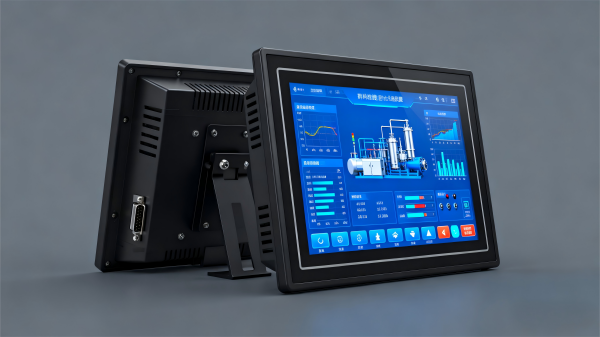
As the core of human-machine interaction, industrial touch screens directly affect both operator efficiency and control accuracy. Many international clients report that choosing the right touch screen cuts training time by 50% and reduces operation errors by 40%. Here are practical tips from selection to maintenance to help you maximize performance.
1. Choose the Right Size and Installation Type
Select the touch screen size based on the application:
- For single machines like frequency inverters, 4.3” or 7” screens are sufficient.
- For large control cabinets, 10.1” or 12.1” models provide better visibility of parameters and control buttons.
Installation options include:
- Embedded – space-saving, ideal for control cabinets.
- Wall-mounted – convenient for on-site control near production lines.
- Desktop – suitable for labs or small-scale equipment debugging.
2. Focus on Display Quality and Touch Precision
High resolution (≥800×480) ensures clear parameter display, while brightness ≥500 cd/m² is recommended for bright workshops to reduce glare.
Touch accuracy is equally important — deviation should be <1 mm for precise parameter setting. Multi-touch support adds convenience, enabling pinch-to-zoom for detailed parameter viewing.
3. Match Functional Requirements Accurately
- For data logging (e.g., output quantity or runtime), the touch screen should support data storage and export via USB or network upload.
- For remote monitoring, choose models with Ethernet communication, allowing real-time status checks via web browser or mobile app.
- In hazardous environments (chemical or oil & gas industries), ensure explosion-proof rating Ex d IIB T4 Ga for safe operation.
4. Maintenance and Care Tips
- Regularly clean the screen surface using a soft lint-free cloth and a small amount of alcohol — avoid sharp tools or excessive moisture.
- Keep the device away from heat and humidity to prevent component aging.
- Back up HMI programs regularly for quick recovery in case of data loss.
- If the screen becomes unresponsive or displays abnormally, check wiring and power stability first. If the issue persists, contact technical support — for instance, icxsg.com’s engineers can provide remote or on-site troubleshooting to minimize downtime.
Friendly Links: