






 English
 Français
 Deutsch
 Português
 Español
 русский
  한국어
한국어 العربية
 Italiano
 Indonesia
 Schweiz
 Polski
 Nederlands
 ישראל - עברית
 Perzisch
 ไทย
ไทย 日本語
日本語 ኢትዮ-አማርኛ
 Việt Nam
 Kiswahili
 Srpski
 Ελληνικά
 简体中文
简体中文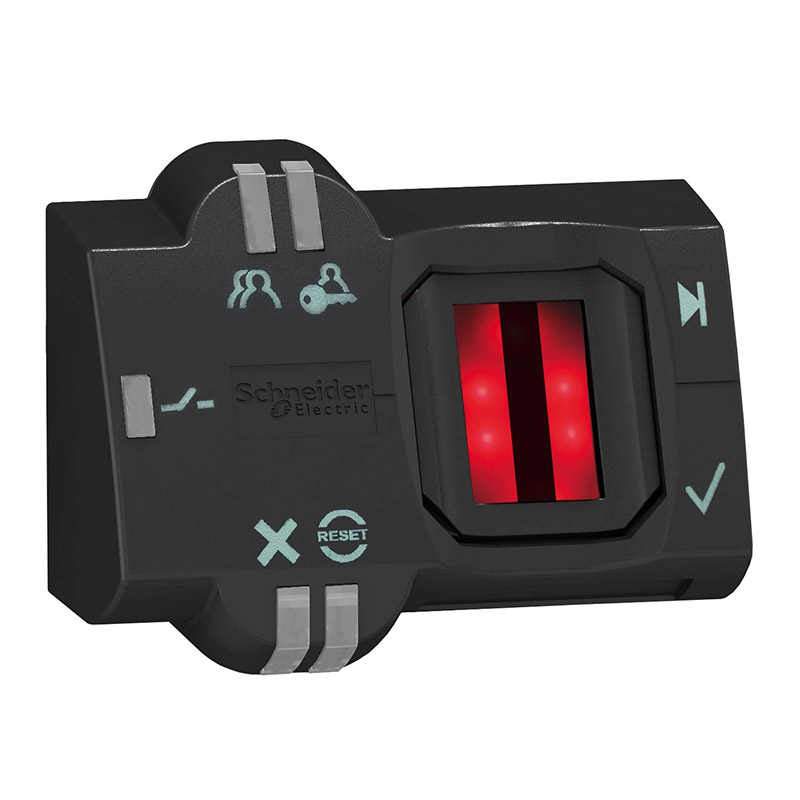
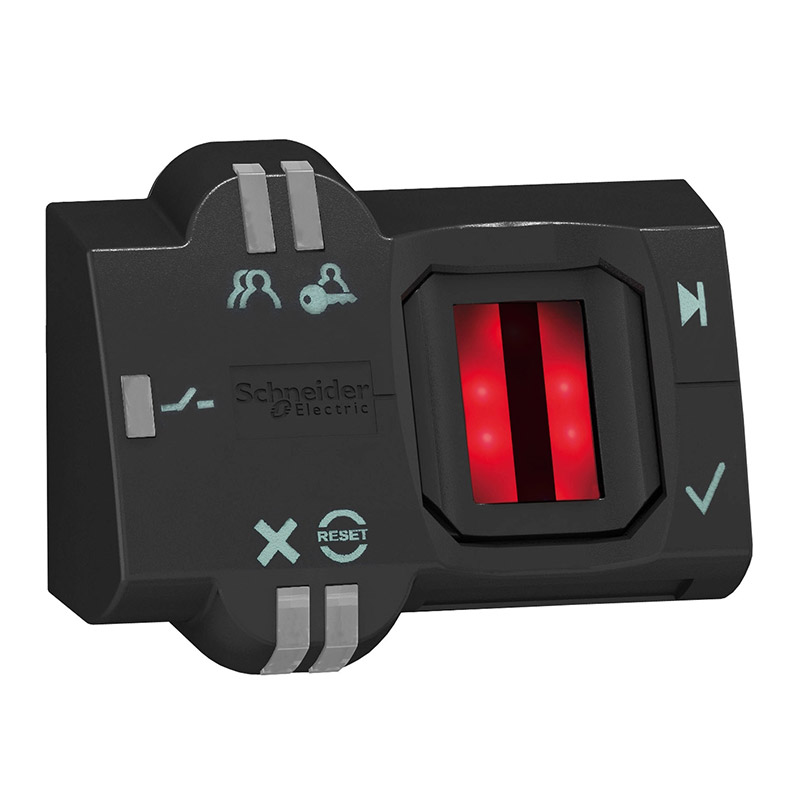
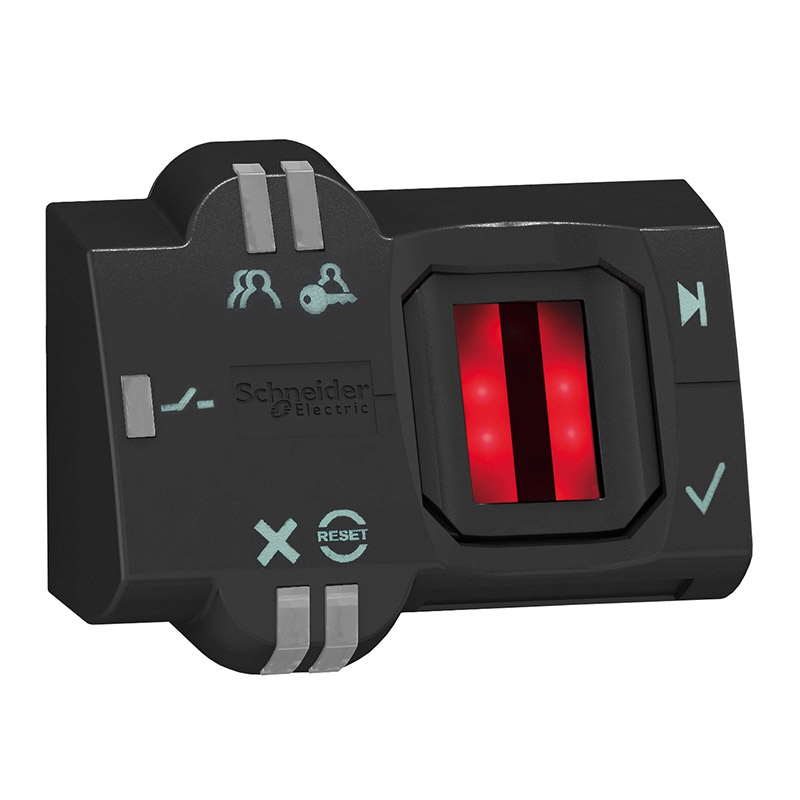
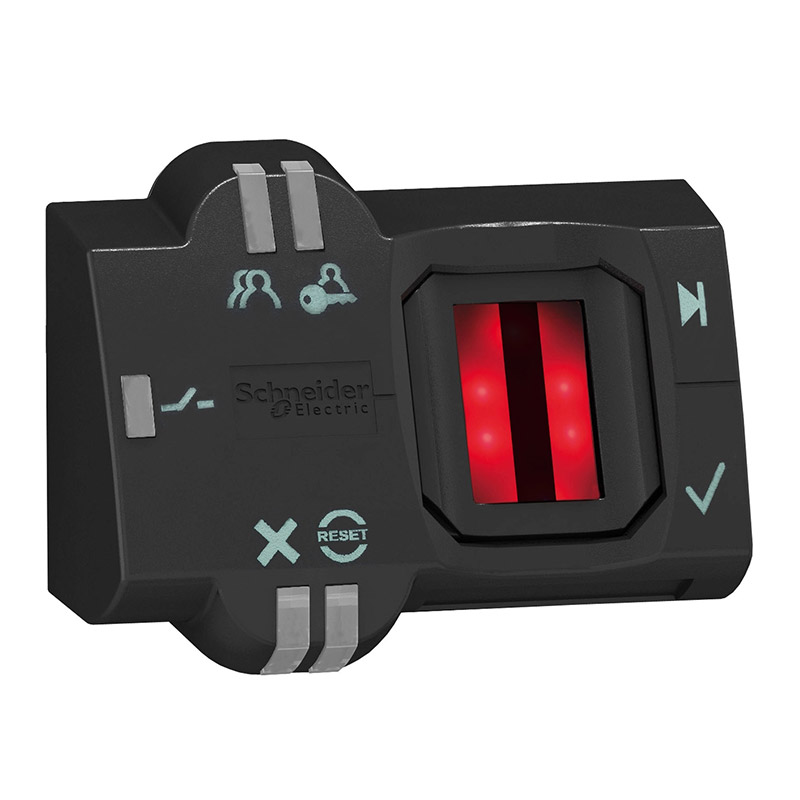
Schneider XB5-S2B2M12 Fingerprint Switch
Brand:
Series:
XB5S
Connect:
M12 Connectors
Frame Material:
plastic
Operating Position:
Flat mount, vertical surface mount, horizontal position
IP Protection Rating:
IP65
Operation Type:
Self-reset
Installation Diameter:
22mm
Output Type:
PNP
Supply Voltage:
24VDC
Product Type:
Monostable fingerprint switch
Model:
XB5-S2B2M12
Order Number:
XB5S2B2M12
Description:
Schneider Fingerprint Switch XB5-S2B2M12, Self-reset, Monostable Fingerprint Switch, IP65, Frame Material Plastic, M12 Connector, 24VDC, Output Type PNP
Product parameters
| Product attributes | Attribute value | Filter product attributes |
|---|---|---|
| Brand: | Schneider | |
| Series: | XB5S | |
| Connect: | M12 Connectors | |
| Frame Material: | plastic | |
| Operating Position: | Flat mount, vertical surface mount, horizontal position | |
| IP Protection Rating: | IP65 | |
| Operation Type: | Self-reset | |
| Installation Diameter: | 22mm | |
| Output Type: | PNP | |
| Supply Voltage: | 24VDC | |
| Product Type: | Monostable fingerprint switch |
Products with the same attribute : 0
Show details
Series Overview
Series Overview
-
Harmony fingerprint switches are used in industrial fields to protect access to systems or machines. The setup and operation of fingerprint switches do not require any interfaces, and this is a completely independent product.
-
There are 2 types of products in total:
- Bistable fingerprint switch XB5S1B, with 2 stable states.
- Monostable fingerprint switch XB5S2B, realizing pulse control function.
-
There are 2 types of users for fingerprint switches:
- Administrator, can manage the registration and deletion of fingerprints.
- Operator, after registration, can use the fingerprint switch as a control element.
-
The fingerprint switch is an integrated structure, fixed by a plastic nut, without the need for any tools. The diameter of the installation hole is 22mm, and the working voltage is DC 24V.
-
Wiring is realized through the 2m cable provided with the fingerprint switch or an M12 connector.
-
The fingerprint switch can be installed on a flat horizontal or vertical surface.
-
The protective cover is an optional accessory, used to protect the working surface of the fingerprint switch. The protective cover is fixed on the fingerprint switch through hook - and - loop fasteners.
-
The housing of the fingerprint switch is dark in color, and the front surface has the following components:
- Working surface 1, used for fingerprint registration and identification of registered fingerprints.
- Green output status indicator LED 2, when lit, indicates that the output is connected (normally open static contacts when outputting).
- Orange LED 3, used to indicate the administrator's registration mode.
- Orange LED 4, used to indicate the operator's registration mode.
- Red reset LED 5, used in deletion mode to indicate that the administrator is deleting all or part of the records.
- Red LED 6, flashes during unregistered fingerprints or incorrect operations.

Rachel
Industrial Control Sales Specialist: Focuses on delivering high-performance, cost-effective industrial control products. Offers end-to-end one-stop procurement support—covering rapid quotation, streamlined order fulfillment, and responsive after-sales service—to simplify clients’ procurement processes.
Email: Anthony@icxsg.com
We offer competitive product pricing. For fast support, send your email, phone, address, and the product model & quantity you want—we’ll reach out quickly!
We typically respond via email within one business day! You can also contact us at Anthony@icxsg.com