




 English
 Français
 Deutsch
 Português
 Español
 русский
  한국어
한국어 العربية
 Italiano
 Indonesia
 Schweiz
 Polski
 Nederlands
 ישראל - עברית
 Perzisch
 ไทย
ไทย 日本語
日本語 ኢትዮ-አማርኛ
 Việt Nam
 Kiswahili
 Srpski
 Ελληνικά
 简体中文
简体中文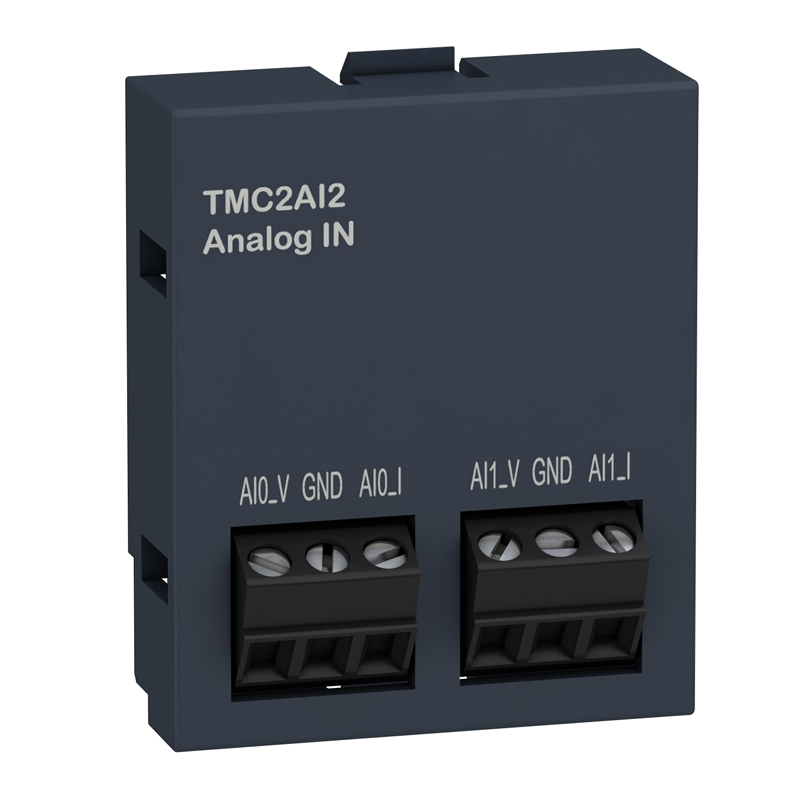
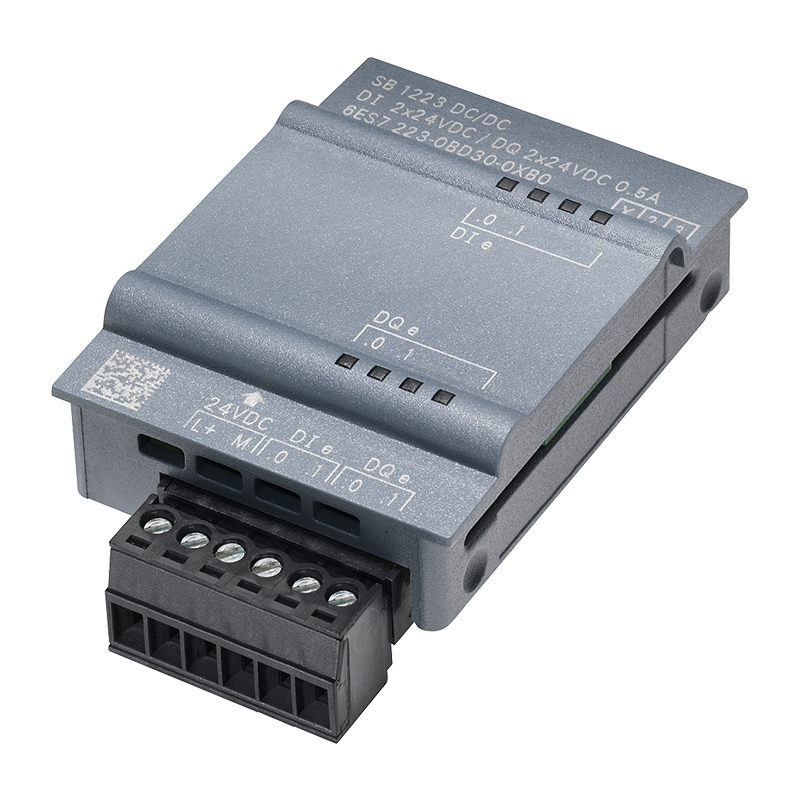
Schneider TMC2AI2 PLC programmable controller M221
Brand:
Series:
M221
Digital Output Type:
-
Digital Input Voltage:
-
Analog Output:
-
Digital Input:
-
Digital Output:
-
Analog Output Type:
-
Analog Input:
-
Analog Input Type:
-
Supply Voltage:
-
Product Type:
I/O Expansion Board
Model:
TMC2AI2
Order Number:
TMC2AI2
Description:
Schneider M221 TMC2AI2, I/O expansion board
Product parameters
| Product attributes | Attribute value | Filter product attributes |
|---|---|---|
| Brand: | Schneider | |
| Series: | M221 | |
| Digital Output Type: | - | |
| Digital Input Voltage: | - | |
| Analog Output: | - | |
| Digital Input: | - | |
| Digital Output: | - | |
| Analog Output Type: | - | |
| Analog Input: | - | |
| Analog Input Type: | - | |
| Supply Voltage: | - | |
| Product Type: | I/O Expansion Board |
Products with the same attribute : 0
Show details
Series Overview
Series Overview
Product Features
-
SoMachine Basic is an easy-to-use and quick-to-get-started programming software for project development of Modicon M221 all-in-one and book-type programmable controllers. It can automatically convert application projects written on TwidoSuite and TwidoSoft software.
-
SoMachine Basic software can shorten the project development cycle, and the software navigation is simple and intuitive
- SoMachine Basic software has a newly-designed interface and is extremely easy to get started:
- User-friendly interface for quick start: Simplified interface design allows you to easily find the required information
- Provide multiple functions to improve work efficiency
- Connect your computer to the controller
- During the programming, debugging, and maintenance stages, the computer can be connected to the controller through multiple channels.
- SoMachine Basic software has a newly-designed interface and is extremely easy to get started:
Communication Cable Connection
- Use the USB - B communication port and connect the computer to the M221 controller through the communication cable TXSCNAMUM3P (mini - USB to USB).
Modem Connection
- For some one-off operations, connecting through a modem can reduce the frequency of on-site support.
- The modem component SR2MOD03 connected to the M221 controller must be configured during hardware configuration, and the controller will be automatically initialized (Hayes initialization string)
- On the computer side, SoMachine Basic software will be associated with a specific modem connection and stored in the project (including the phone number used)
Ethernet Connection
- Through the Ethernet communication port built - in by the controller itself, Ethernet and Modbus TCP/IP communication protocols can be used
- Connect the TM221ppp programmable controller and the computer.
Wireless Bluetooth Connection
- Wireless Bluetooth communication allows you to move freely within a range of 10 meters around the programmable controller.
Product Function Navigation
- SoMachine Basic software provides intuitive visual navigation.
- The display interface of the software has been optimized, and you can select various stages of the project development cycle (configuration, programming, debugging, etc.)
- Each interface is divided into two areas:
- A selection list area
- A work area for performing operations related to the current task
Project Management
- The project management function is used for:
- Create a new project
- Open projects on the computer (hard disk, CD - ROM, USB drive, etc.)
- Restore projects from the M221 programmable controller
- Open Twido projects and convert them automatically
- Create new projects based on existing project templates
Properties
- In this interface, you can enter the identification data of the new project, such as:
- Detailed information of the project creator
- Company information of the project creator
- Information related to the project
- Project protection information
- Application protection information
Configuration
- Configuration is used for:
- Perform hardware configuration according to your actual application using the “Directory” option:
- Programmable controller (Modicon M221)
- I/O expansion modules (Modicon TM2, Modicon TM3)
- Standard expansion boards and application expansion boards
- The graphical editor allows you to conveniently complete the combination of various components through simple drag - and - drop operations.
- Configure all hardware functions according to the application selection:
- Discrete quantity, analog I/O
- Perform hardware configuration according to your actual application using the “Directory” option:
High - Speed Counter
- Pulse generator output:
- Pulse Width Modulation (PWM)
- Pulse Generator (PLS)
- Pulse Train Output (PTO)
- And communication ports (Ethernet, serial port)
Product Functions
- The organization form of the programming program is POU (Program Organization Unit) or a sub - program. The program segment is composed of rungs (RUNGs), which simplifies the reading and navigation inside the program
- POU contains various application tasks: main task, periodic task, interrupt task.
- The following languages can be used for programming:
- Instruction List (IL) language
- Ladder Diagram (LD) language
- The rung defines the connection of all components in the application
- The ladder diagram editor provides an intuitive and efficient programming mode
Drag - and - Drop Operations
- Shortcut keys and toolbars can be selected according to user preference files
- The provided rung templates can help quickly write high - level function programs
- Quickly connect various elements of the ladder diagram when creating network communication
- Quickly connect created variables with elements in the ladder diagram
- Context - related online help
- Project backup, which can be backed up even if the ladder diagram connection is not completed
- Automatic analysis and compilation
- Support modification in online modification and running modes
- The interface is more intuitive and vivid
- Search and replace functions
Transmission
- Tasks that can be performed during the transmission stage.
Network Connection:
- Automatically detect the controller connected to the computer according to the network connection port type (USB, Ethernet, Bluetooth)
- Transfer application programs between the computer and the controller
- Controller firmware upgrade
- Backup and restore controller data:
Application Program
- Firmware information
- Storage area
- SD memory card management
- Controller information
- System clock management
Counting Function
- SoMachine Basic software provides two counting functions for the M221 programmable controller.
- High - Speed Counter (HSC)
- Access the counter through the 32 - bit HSC function block. The following functions can be performed on the counter through programming: up/down counting, dual - phase up/down counting
- High - Speed Counter (HSC)
Frequency Meter
- The counting pulses come from the incremental encoder or proximity switch (up/down counting) connected to the built - in fast input of the M221 programmable controller.
- Fast Counter (FC)
- The 16 - bit FC fast counter can count up or down the pulses from the fast input of the M221 programmable controller (rising edge).
- Fast Counter (FC)
Position Control
- SoMachine Basic software provides 3 position control functions for the M221 programmable controller. For example, it can be used for
- Control function of stepping motors.
PLS Function
- The PLS function generates a certain number of pulses. In some cases, the frequency is fixed, and in some cases, the frequency is not fixed (for example, in the slope control stage of driving a stepping motor).
- The PLS function is assigned to the %Q.0 or %Q.1 output address of the M221 controller.
- The signal cycles of the pulse generators are different, but they have a constant duty cycle, which can form a half - cycle “on” and “off” ratio.
PWM Function
- The PWM function generates pulses of a fixed frequency, and the output signal has different duty cycles. The duty cycle is a dynamic variable called %PWM.R, and this variable ranges from 1% to 100%.
- The PWM function is assigned to the %Q.0 or %Q.1 output address of the M221 controller.
- According to the user - defined %PWM function in the M221 controller's %Q.0 or %Q.1 output address segment to generate output pulses.
PTO Function
- The PTO function uses a pulse sequence to achieve position control. Depending on the type of servo drive, pulse/direction (P/D) signals or CW/CCW signals are used.
- These pulses are generated in the %Q.0 or %Q.1 output address segment of the Modicon M221 programmable controller.
Event Handling
- The application program can manage event tasks.
Event Source Types
- Built - in input events
- High - speed counter (HSC) events
- Periodic events (clock)
- Each event task executes a single sub - program
- Process control (PID control)
- 14 - bit PID control cycle mode
- Self - tuning algorithm
- Analog PWM output signal
- Measurement input linear conversion
- Two alarm levels for measurement values (high and low)
- Output limit control
- Direct action and reverse action

Rachel
Industrial Control Sales Specialist: Focuses on delivering high-performance, cost-effective industrial control products. Offers end-to-end one-stop procurement support—covering rapid quotation, streamlined order fulfillment, and responsive after-sales service—to simplify clients’ procurement processes.
Email: Anthony@icxsg.com
We offer competitive product pricing. For fast support, send your email, phone, address, and the product model & quantity you want—we’ll reach out quickly!
We typically respond via email within one business day! You can also contact us at Anthony@icxsg.com